

Spending and Budgets, Now in Wealthfolio
A complete new way to see your cash flow, right alongside your investments. Auto-categorize transactions, build budgets that fit you, mark life events, and read narrative insights, all local-first.
Wealthfolio has always been good at one side of the ledger: what you own. Accounts, holdings, performance, net worth, all kept locally and out of the way. But your wealth isn’t just what you’ve accumulated. It’s also what flows through your hands every month, and until now Wealthfolio had nothing to say about that.
This release closes the gap. Spending & Budgets is a complete new module that brings your cash flow into the same app as your investments, so the money you spend and the money you grow finally live in one place.
- Spending to understand where your money actually goes.
- Budgets to decide where you want it to go, and watch the two line up.
Like everything else in Wealthfolio, it runs on the data you already have, and it stays on your machine.
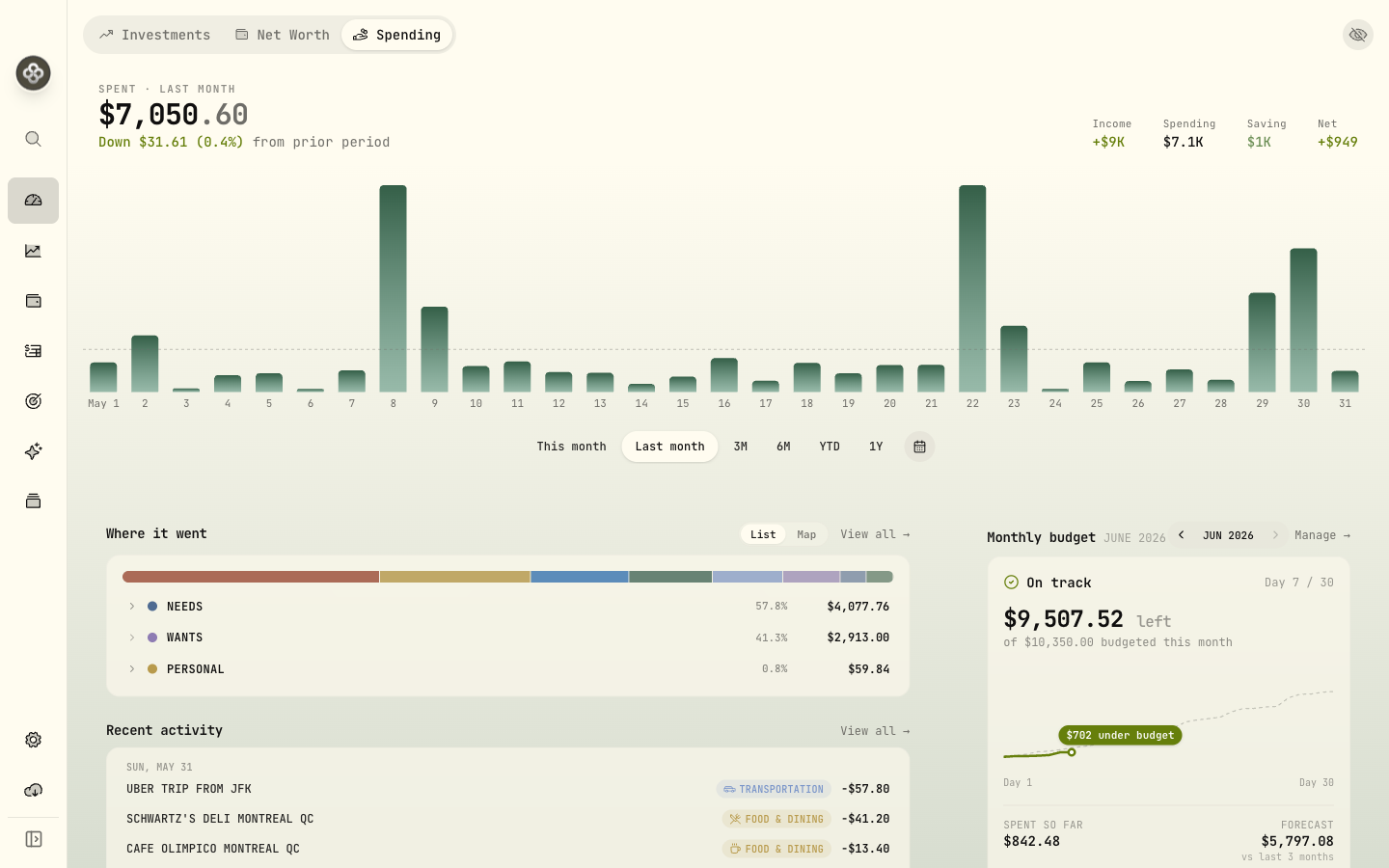
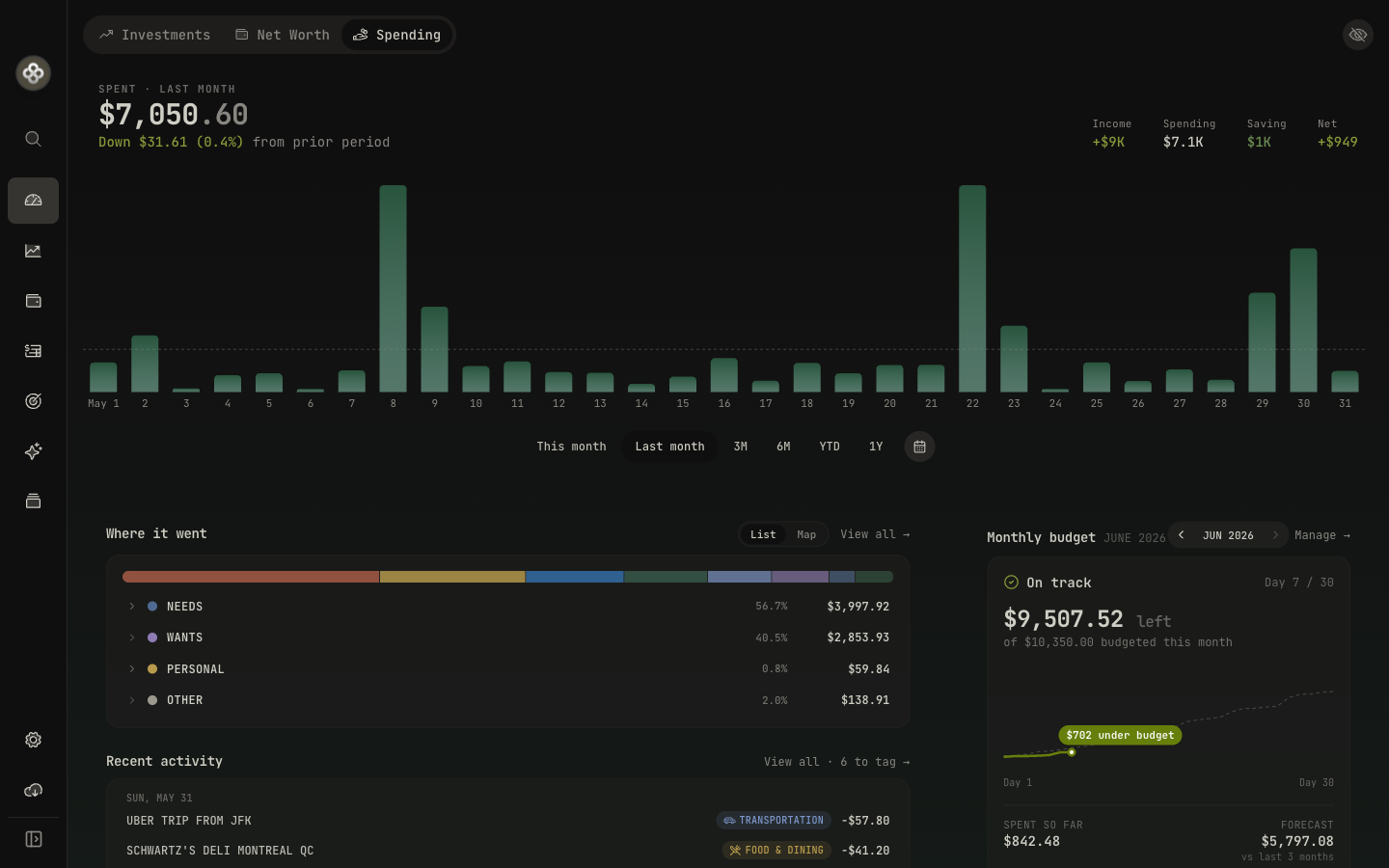
Categorize automatically
Sorting transactions by hand is what kills most budgets. Nobody keeps it up. So Wealthfolio does the sorting for you.
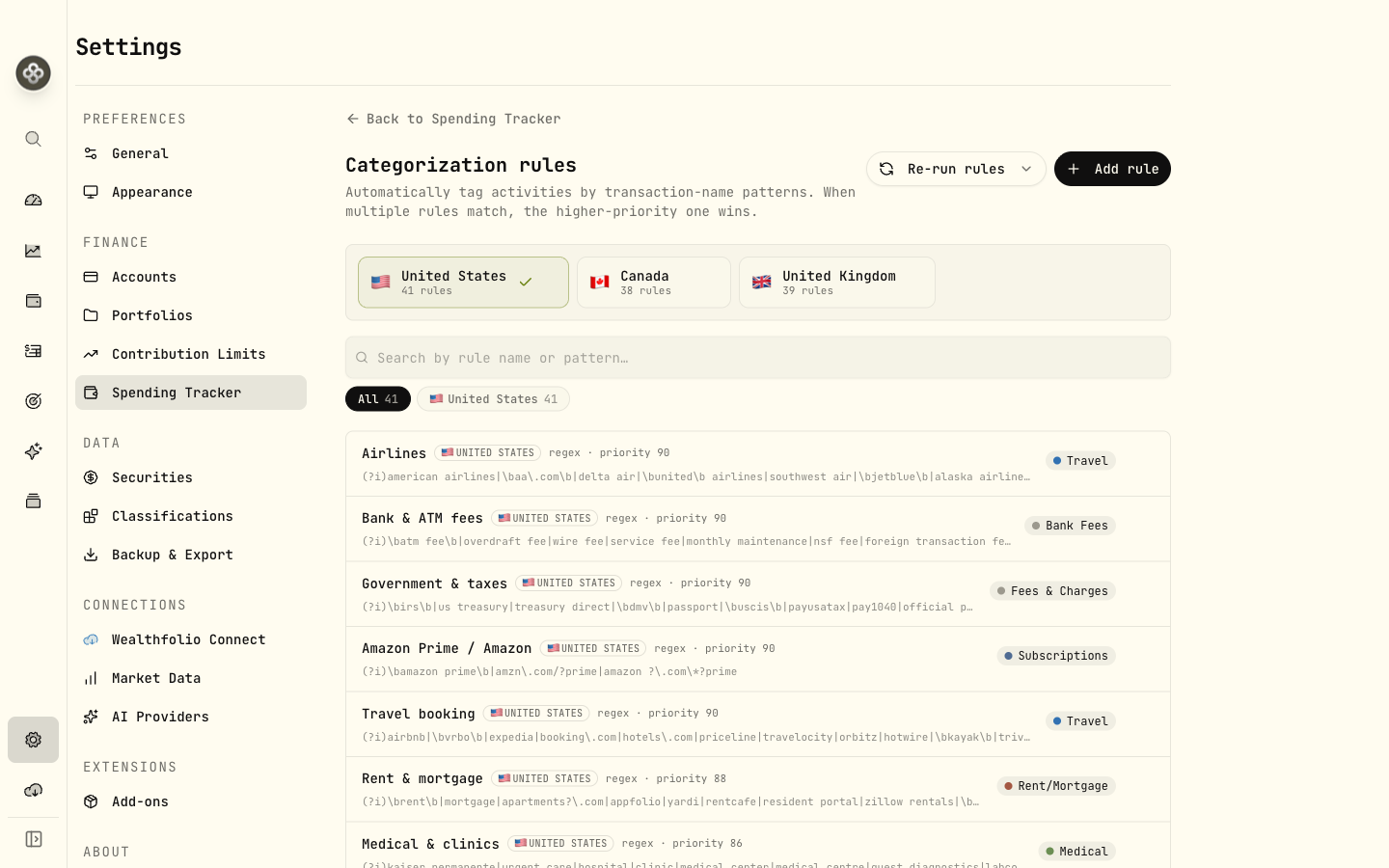
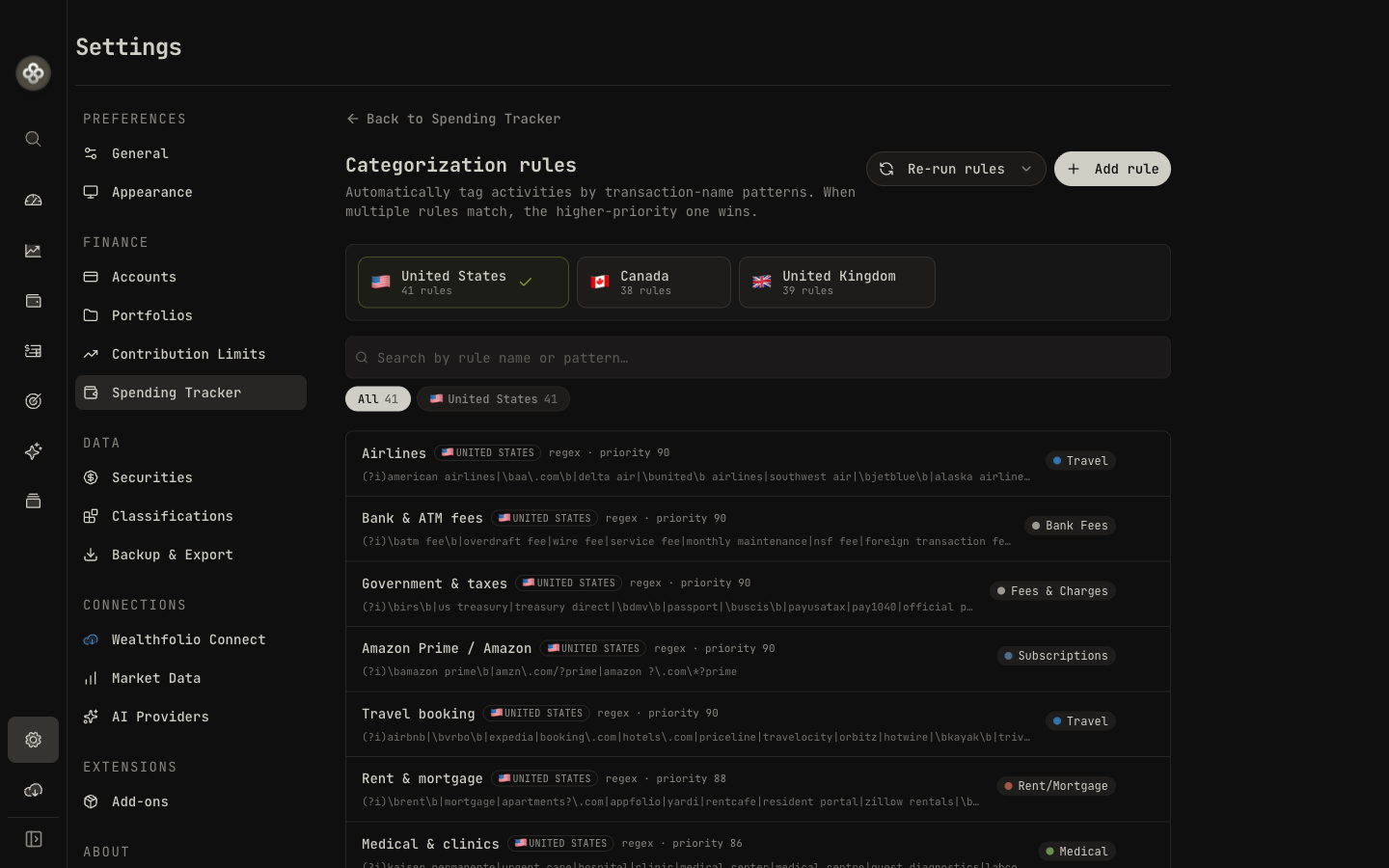
Set up a rule once and it categorizes new transactions automatically. Rules match on the description, contains, starts-with, exact, or a regex if you want precision, at the priority you choose, and each rule can target spending, income, or savings. Run them across your history, or let them quietly tag new activity as it comes in.
For the long tail that no rule catches, ask the AI assistant to take a pass: it proposes categories for whatever’s left, and you review and accept its suggestions. The goal is a feed that’s mostly sorted by the time you look at it, with AI as a quick second hand on the rest, not a chore waiting for you.
Build budgets that fit you
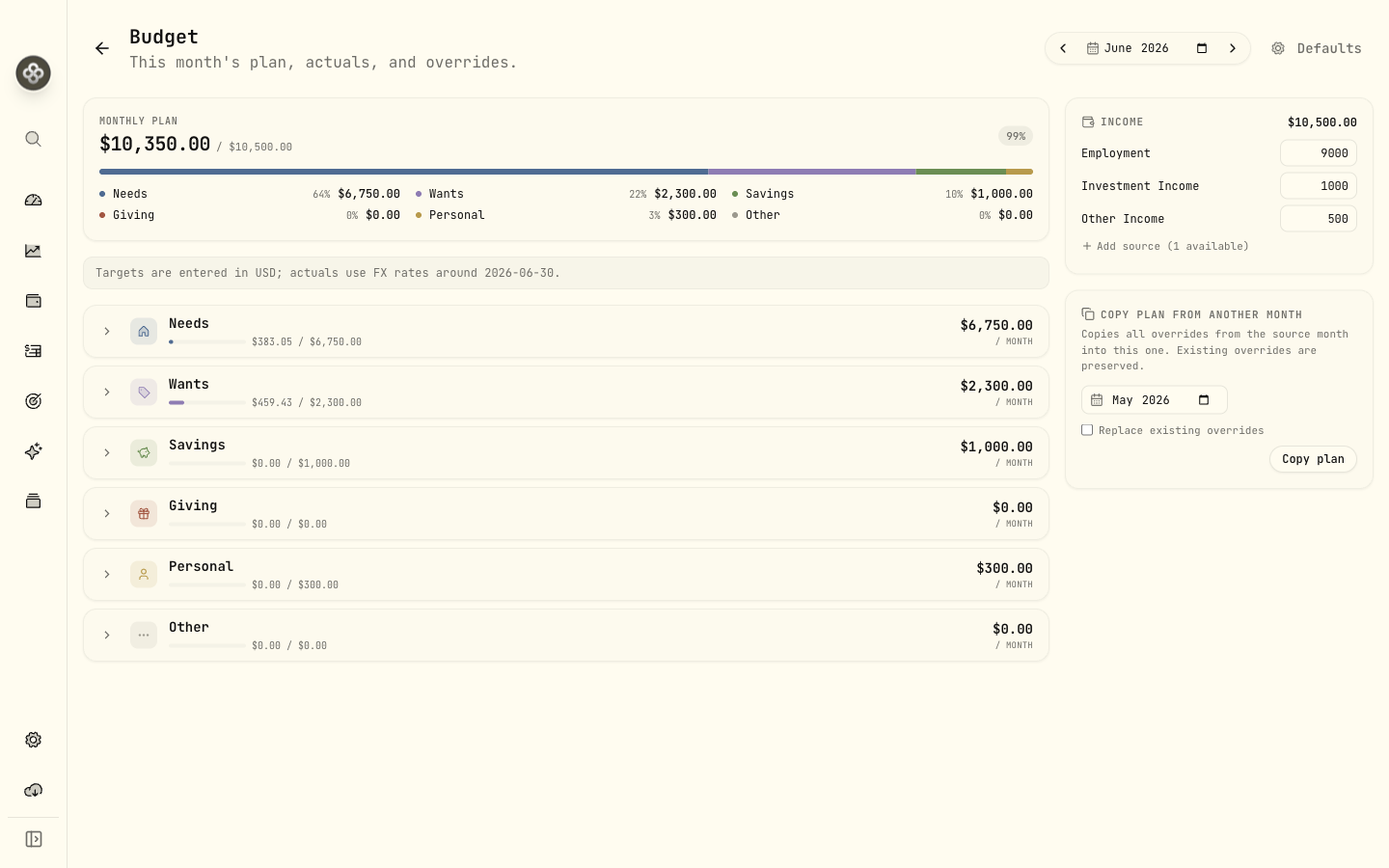
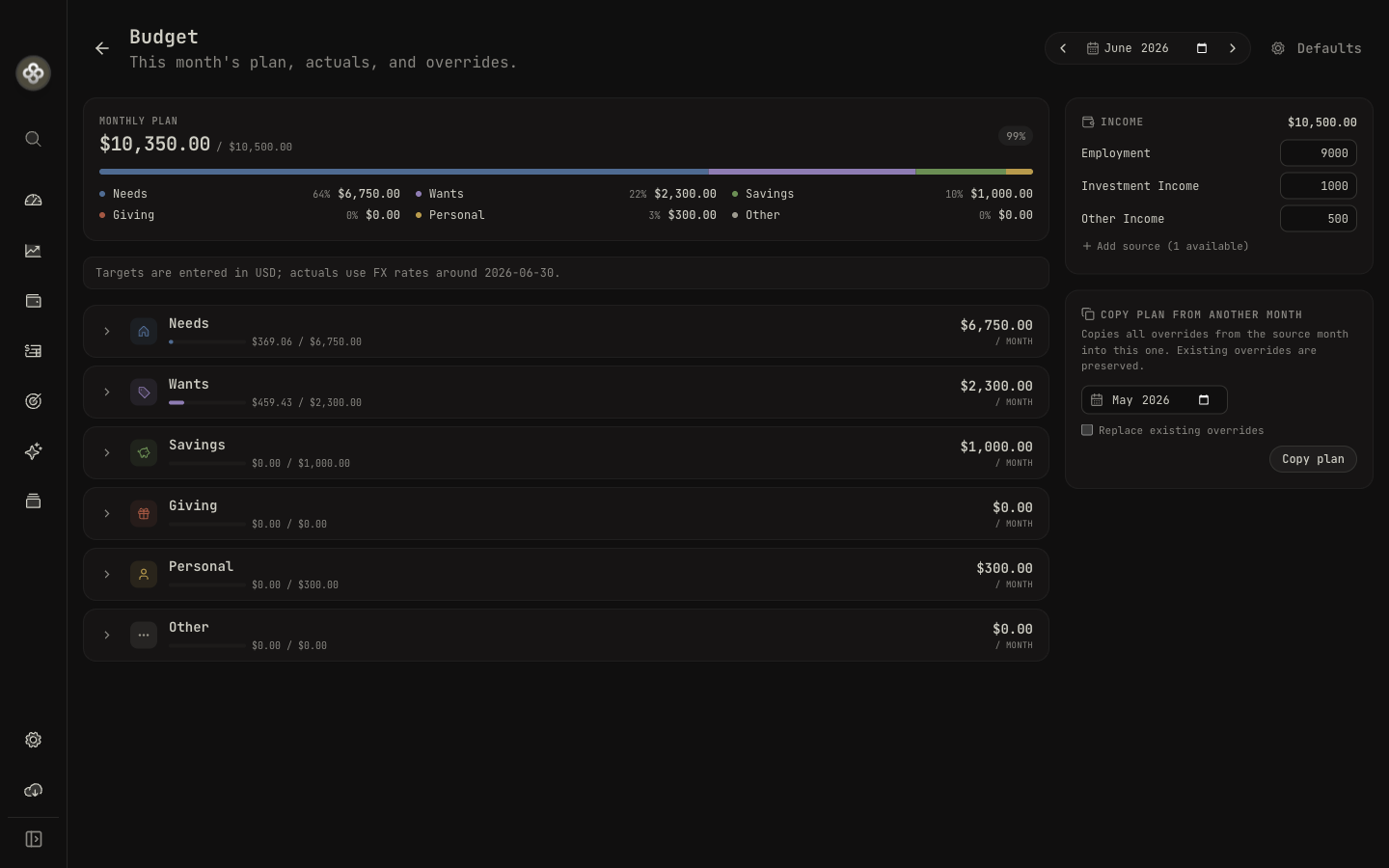
A budget should describe your life, not someone’s idea of it. So you set up a default monthly plan once in settings, groups you control, Needs, Wants, Savings, or whatever structure makes sense to you, each with a target. That plan becomes the baseline used every month, so you’re not rebuilding it from scratch in January.
Then real life happens, and the parts that let a budget survive contact with it are here too. Override any single month when it’s unusual, a holiday, a big repair, a bonus, then revert back to your defaults with a click when it’s over. Rollovers carry an unused or overspent balance into next month, so one big grocery run doesn’t break the whole plan, and you can copy from a previous month when you’d rather start there. As the month unfolds, actuals fill in against your targets so you always know where you stand.
Mark life events
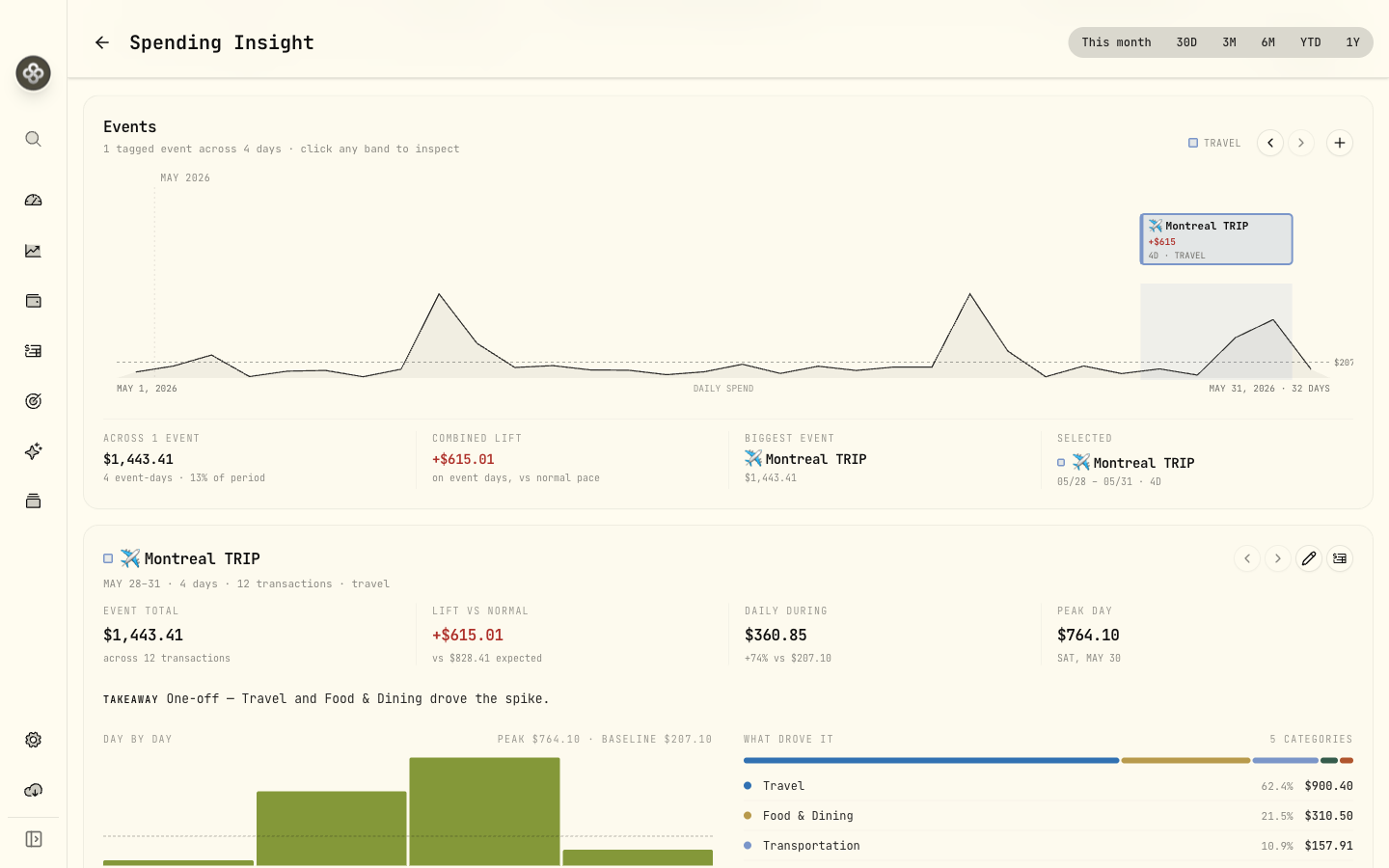
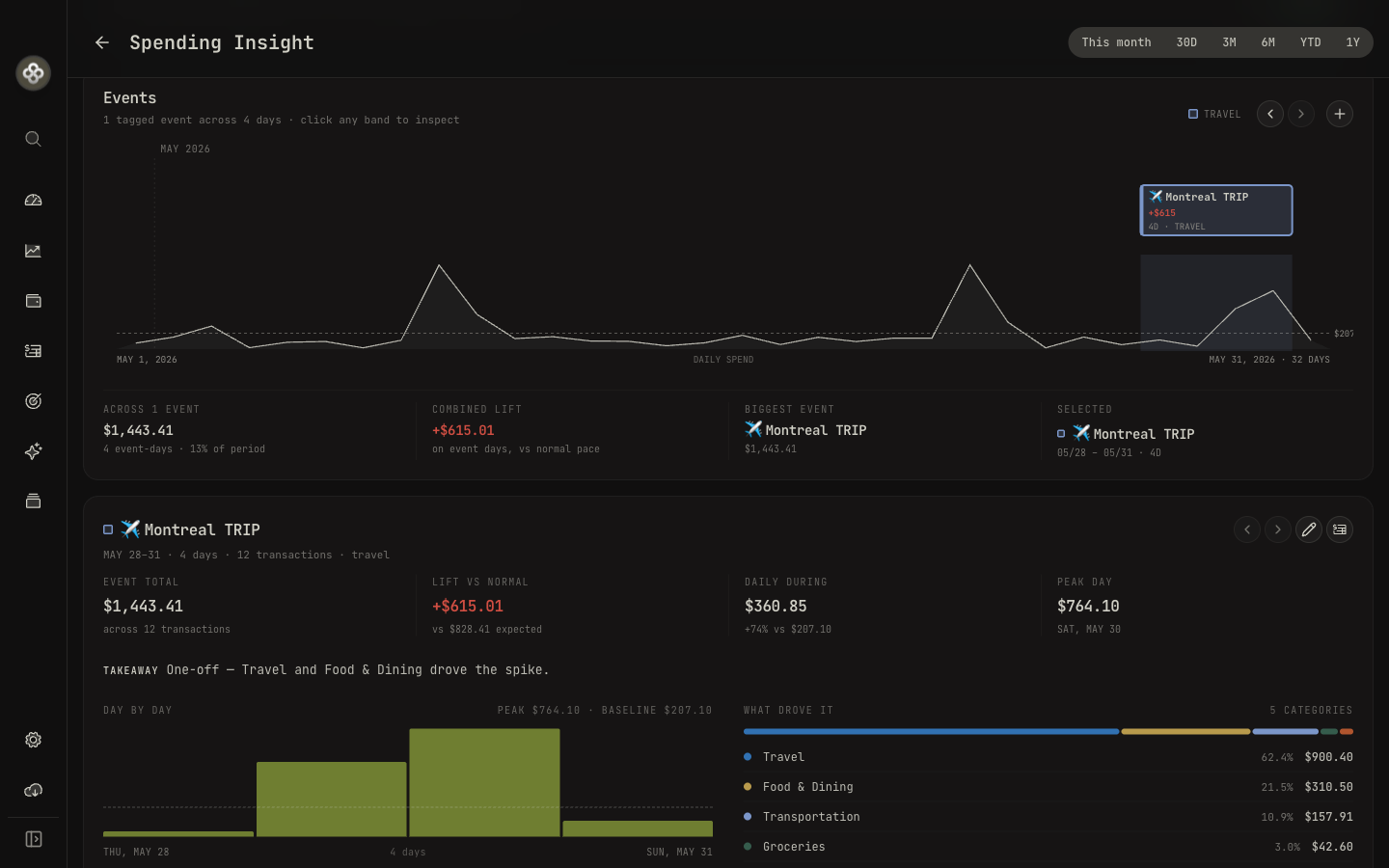
Some spending doesn’t belong to a month, it belongs to a moment. A vacation, a wedding, a home renovation, a move. Add an event to a timeline, tag the transactions that belong to it, and Wealthfolio totals up its true cost, with a per-category breakdown and a day-by-day chart.
It’s a simple idea that answers a question budgets can’t: not “how much did I spend on food in March,” but “what did that trip actually cost me, all in.”
Read your money like a story
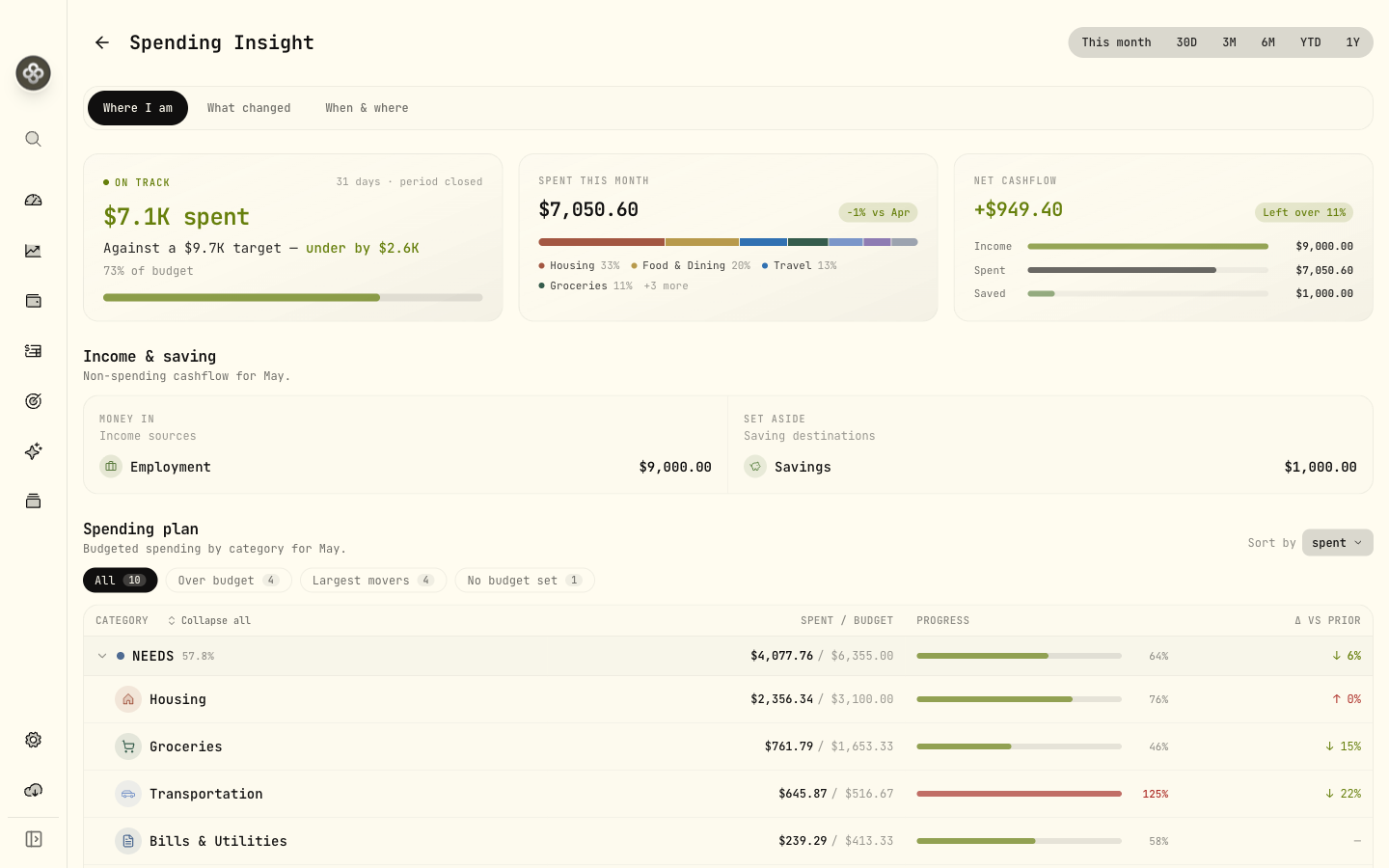
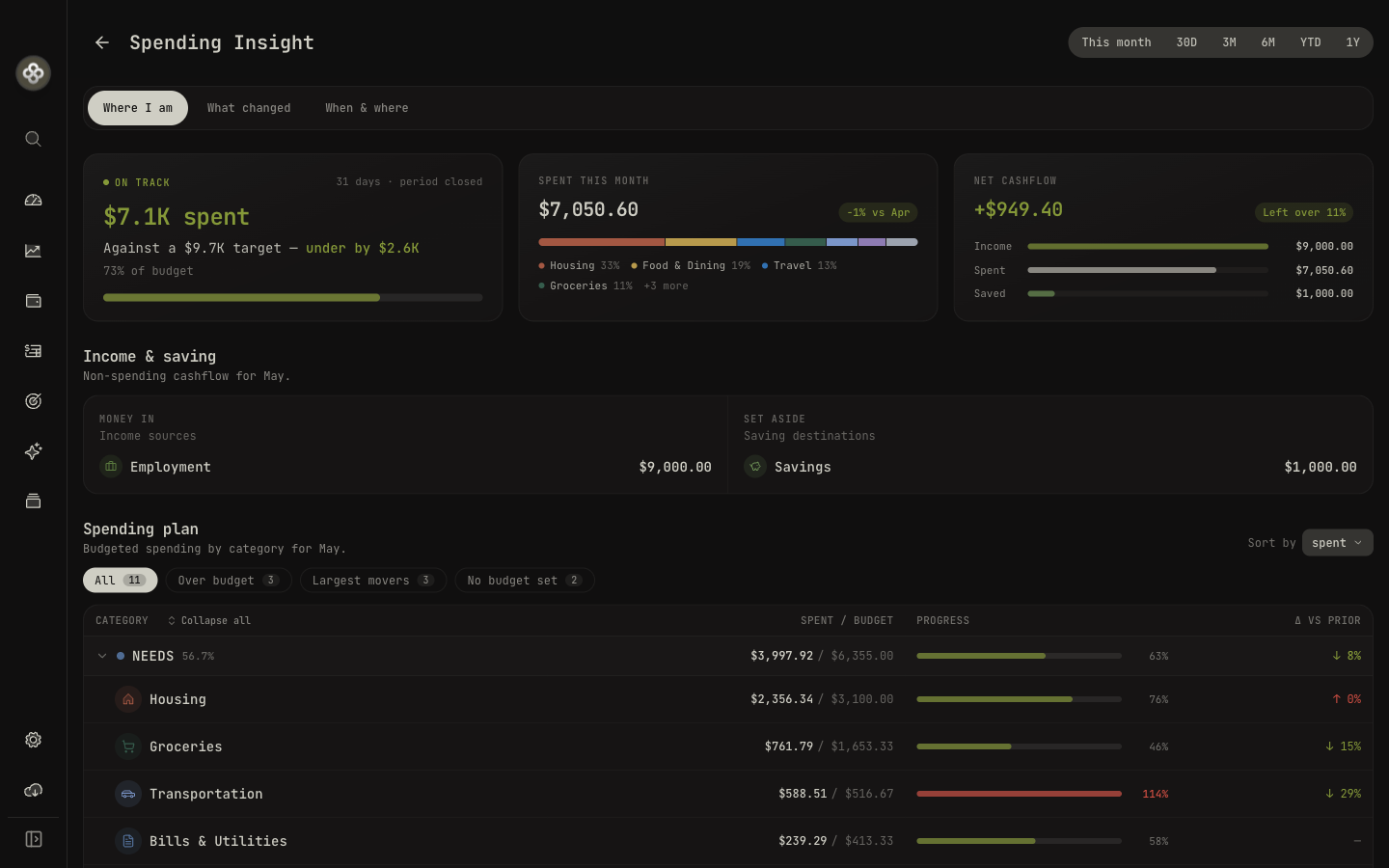
Charts tell you what happened. They rarely tell you what it means. The insights page is built to read like a short, plain-language briefing: where you are, what changed, and when and where you spend.
It shows your pace versus budget, on track, approaching, or over, surfaces the top movers driving the change, and maps your spending across a weekday-by-hour heatmap. Every number is a door: click through to the exact transactions behind it. And because money rarely stays in one currency, totals are FX-converted while the native amounts stay visible too.
One picture of your money
The reason this matters isn’t budgeting for its own sake. It’s that saving and investing are the same story told from two ends. What you don’t spend is what you get to invest. Putting cash flow in the same local-first app as your portfolio means you can finally see both halves at once, without exporting anything, signing up for a third service, or handing your bank login to an aggregator.
And it’s all anchored to data you already trust. The same accounts you’ve been tracking become the source for your spending and budgets, no re-entry, no guessing. The categorization runs locally, the budgets live on your machine, and nothing about how you spend ever leaves your computer.
Spending works best when your accounts feed it. Opt your cash and credit-card accounts into the spending view, import or sync their activity, and the categorization, budgets, and insights all fill in from there. The more complete the activity, the more honest the picture.
Try it
Spending & Budgets is live in this release. Open the new Spending section, choose the accounts to include, and let the rules and AI do the first pass of sorting. The full guides are in the docs:
If you’ve been using Wealthfolio to watch your wealth grow, this is the other half of the picture. Same app, same local data, now with the spending side in view too.