

Contribution Limits
Track tax-advantaged contribution caps and remaining room across accounts.
Most tax-advantaged accounts — RRSPs, TFSAs, IRAs, 401(k)s, ISAs, PEAs — have a yearly cap on how much you can contribute. Wealthfolio tracks those caps for you, sums up what counts as a contribution, and tells you how much room you have left.
Setting up a Limit
- Go to
Settings → Limits. - Click Add Limit.
- Fill in:
- Name — an identifiable label (e.g.
2026 RRSP,2026 Roth IRA,2026 TFSA). - Year — the contribution year the cap applies to.
- Limit amount — the cap, in your base currency.
- Custom date range (optional) — if your limit doesn’t follow the calendar year (e.g. UK ISA tax year), set explicit start and end dates.
- Name — an identifiable label (e.g.
- Save the limit.
- Select every account that contributes toward this cap and click Save selected accounts. A single limit can cover several accounts — for example a personal RRSP plus a spousal RRSP under the same room.
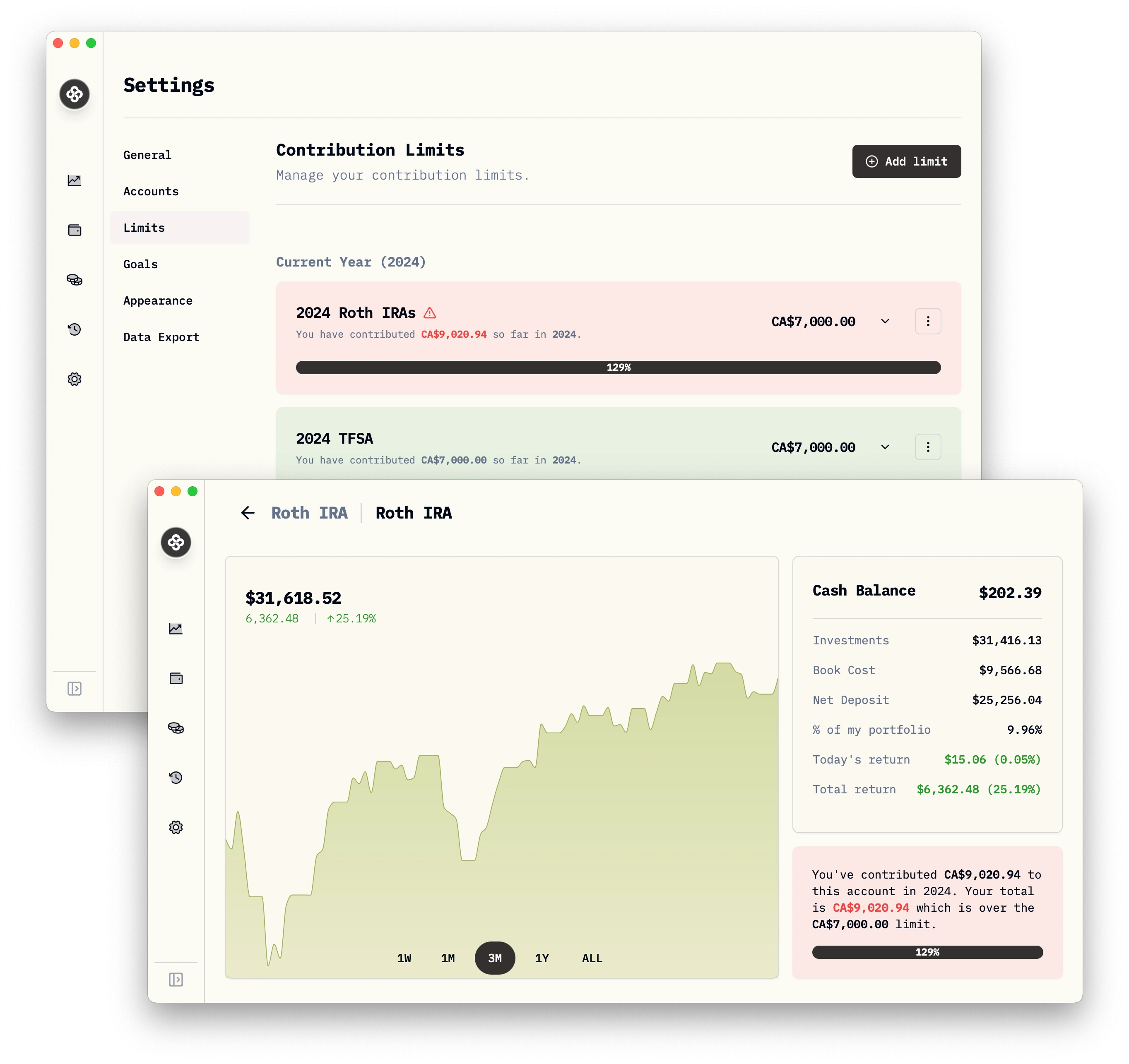
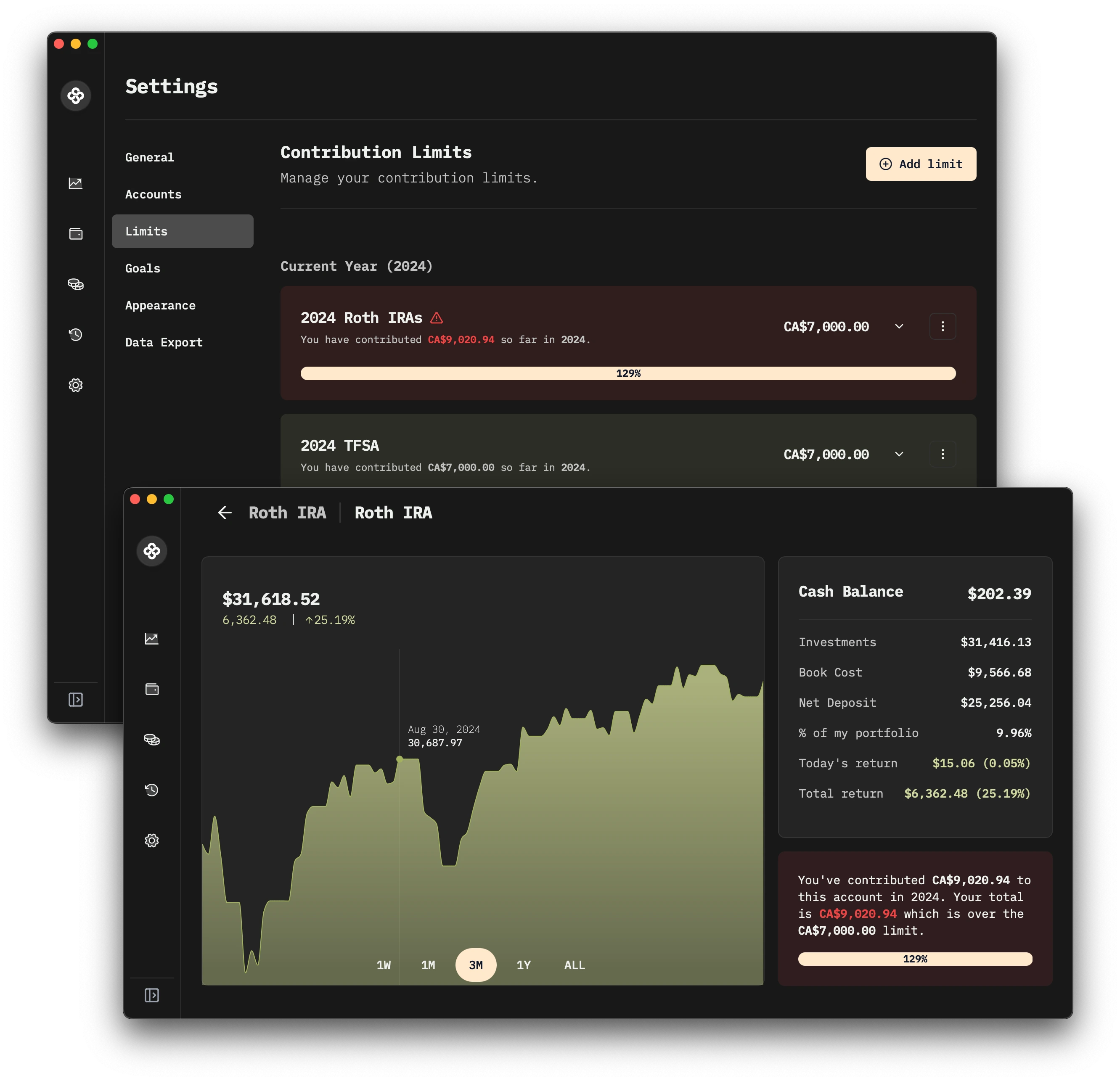
You can now see the limit and the remaining room on the account page itself or in the Limits settings page.
How Room Is Calculated
Used room for a limit is the sum of every contributing activity on the linked accounts, recorded inside the limit’s date window, converted to your base currency at the exchange rate on the activity date.
Available room is simply limit_amount − used_room.
The trickier question is which activities count. Wealthfolio uses these rules:
Deposits always count
A DEPOSIT activity on a linked account is always counted. Deposits represent new money entering the portfolio from outside.
Transfers — only new money counts
The most common source of confusion with contribution rooms is internal transfers. Wealthfolio treats them as follows:
- Linked transfer pair (
TRANSFER_OUT+TRANSFER_INbetween two of your accounts):- If both the sending and receiving accounts are in the same limit, the transfer is internal — neither leg counts. Moving money between two of your TFSAs, for example, doesn’t use any room.
- If only the receiving account is in the limit, the
TRANSFER_INcounts as a contribution. New money is entering the limit from outside it. - If only the sending account is in the limit, nothing is counted. (See “Withdrawals” below for what doesn’t happen.)
- Unlinked transfers (a standalone
TRANSFER_INwith no matchingTRANSFER_OUT): counted only if you explicitly mark the transfer as external (itsflow.is_externalmetadata flag istrue). This is how you should record money coming in from a payroll bonus, an inheritance, or any source outside the portfolio.
Other activity types
CREDITactivities count only when explicitly flagged as external — same rule as unlinked transfers.TRANSFER_OUT,WITHDRAWAL, dividends, fees, buys, sells, and any other activity type never consume room.
Multi-currency handling
If a contribution is recorded in a currency other than your base currency, it is converted using the FX rate on the activity date, not today’s rate. This keeps historical room usage stable — re-importing a year-old deposit doesn’t shift your remaining room because the dollar moved last week.
Withdrawals Don’t Restore Current-Year Room
Wealthfolio mirrors the rule used by most tax authorities: withdrawing money from a registered account does not add room back to the current year’s limit.
WITHDRAWALandTRANSFER_OUTactivities are ignored by the limit calculation.- A withdrawal made today doesn’t reduce this year’s used room and doesn’t reduce this year’s available room.
- For accounts where withdrawals do create future room (Canadian TFSA, for instance, where withdrawals reinstate room on January 1 of the following year), record the recovered room by increasing next year’s
Limit amountwhen you create that year’s limit. Wealthfolio doesn’t auto-roll withdrawn amounts into a new year. - For accounts where withdrawals never create new room (RRSP, IRA, 401(k)), the cap simply continues unchanged.
If you re-deposit money you previously withdrew, the new DEPOSIT (or external TRANSFER_IN) is counted like any other contribution — including against the current year’s room.
Multiple Limits, Multiple Years
- Create one limit per year × cap:
2024 RRSP,2025 RRSP,2026 RRSP. Past years stay around as a permanent record of how much room you used. - A single account can be attached to several different limits (for example a USD brokerage that holds both Roth IRA and Traditional IRA sleeves) — Wealthfolio sums each limit independently using only the activities that fall within its window.
- Carry-forward room from prior years is not auto-detected. If your jurisdiction grants unused room from previous years, add it manually to the current year’s
Limit amount.
Where to Watch It
- Settings → Limits — full list of every limit with progress bars.
- Account detail page — each account shows the limits it belongs to and the remaining room across them.