

CSV Import
Map broker exports to Wealthfolio activities. File format, mapping, per-broker recipes, and troubleshooting.
The CSV importer takes broker statements (or any spreadsheet) and turns each row into a Wealthfolio activity. Most brokers don’t follow the same column names, so the importer walks you through a mapping step that aligns their columns to ours. Mappings are saved per account, so subsequent imports for that broker are one click.
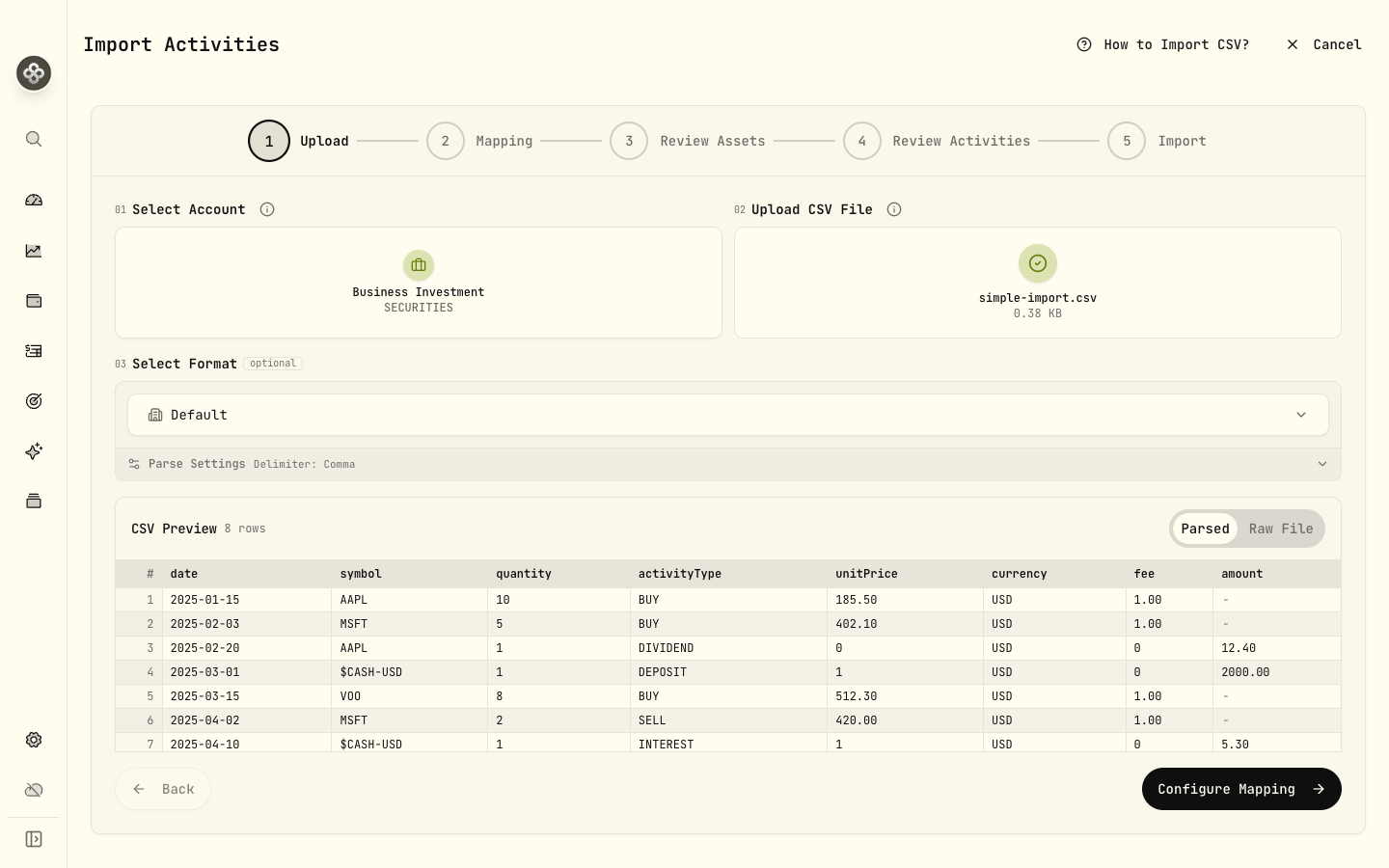
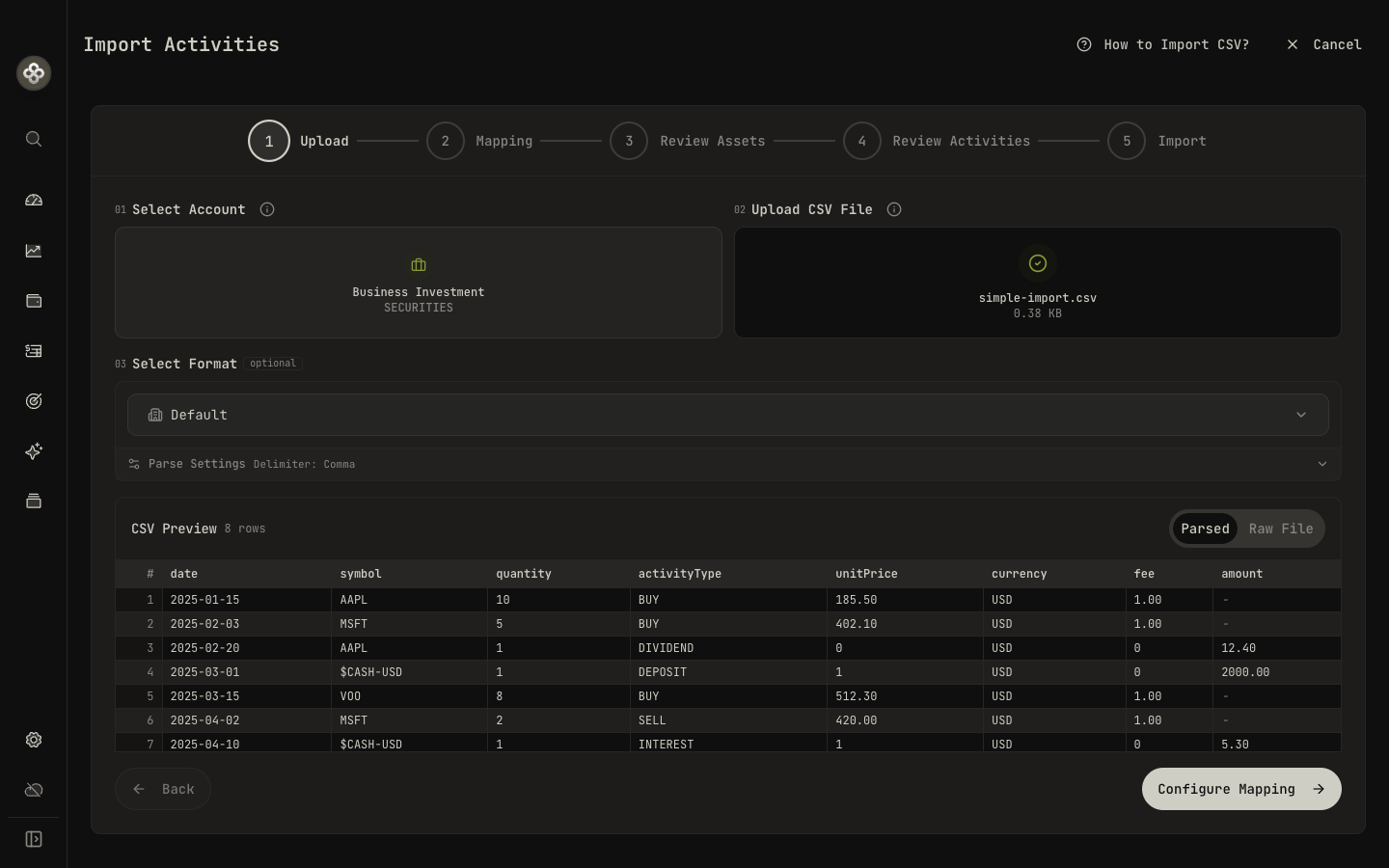
1 · The CSV format at a glance
Wealthfolio’s native CSV format:
date,symbol,instrumentType,quantity,activityType,unitPrice,currency,fee,amount,fxRate,subtype
2024-01-15,MSFT,EQUITY,10,BUY,380.50,USD,4.95,,,
2024-02-01,MSFT,EQUITY,1,DIVIDEND,0.75,USD,0,0.75,,QUALIFIED
2024-02-15,,,1,DEPOSIT,1,USD,0,1000.00,,
2024-04-01,VOO,EQUITY,1,DIVIDEND,1.50,USD,0,1.50,,DRIP
2024-05-01,,,1,INTEREST,1,USD,0,12.50,,COUPON
2024-06-01,TD.TO,EQUITY,10,BUY,85.00,CAD,9.99,,1.36,
You don’t have to match this format exactly. The importer does the mapping for you, and
only the required columns below must be present. Negative values, currency symbols
($, £, €), thousands commas, and parentheses are parsed automatically — no manual
cleanup needed.
Required columns
These six must be mapped before you can import:
| Field | What it is |
|---|---|
date | Trade or transaction date. ISO-8601 (2025-03-15) preferred; common locale formats are recognized. |
symbol | Ticker (AAPL, RY.TO, IWDA.AS). Leave blank for pure cash activities — the activity type identifies them. |
quantity | Shares (positive number). Up to 8 decimal places for fractional shares. Use 1 for cash rows. |
activityType | One of the supported activity types. |
unitPrice | Price per unit in the activity currency. Use 1 for cash activities. |
amount | Total cash value. For trades it’s auto-calculated from quantity × unitPrice when left blank; required for cash activities (DIVIDEND, DEPOSIT, WITHDRAWAL, INTEREST, TAX, FEE, transfers). |
Optional columns
| Field | What it is |
|---|---|
currency | Activity currency (ISO 4217, e.g. USD, EUR, CAD). Defaults to the account currency when omitted. |
fee | Inline fee or commission for BUY / SELL activities. |
instrumentType | Asset type for a new security, e.g. EQUITY, CRYPTO. Helps Wealthfolio classify symbols it hasn’t seen before. |
isin | ISIN identifier — an alternative to the ticker for matching a security. |
fxRate | Exchange rate from the activity currency to your base currency (e.g. 1.36). Used when the two differ. |
subtype | Refines the activity type, e.g. DRIP, QUALIFIED, COUPON, STAKING_REWARD. |
comment | Free-text note. Useful for cross-referencing your broker statement. |
account | Destination account per row, if you’re not importing everything into the single selected account. |
Holdings-mode CSV (balance snapshots)
Holdings-mode accounts (where you track period-end balances instead of every trade) use a simpler snapshot format:
date,symbol,quantity,avgCost,currency
2024-03-31,AAPL,50,171.48,USD
2024-03-31,VOO,20,468.50,USD
2024-03-31,$CASH,5000,,USD
2024-06-30,AAPL,55,210.62,USD
Required: date, symbol, quantity. Optional: avgCost, currency. For cash, use
$CASH as the symbol — the quantity is the cash amount.
2 · Importing step by step
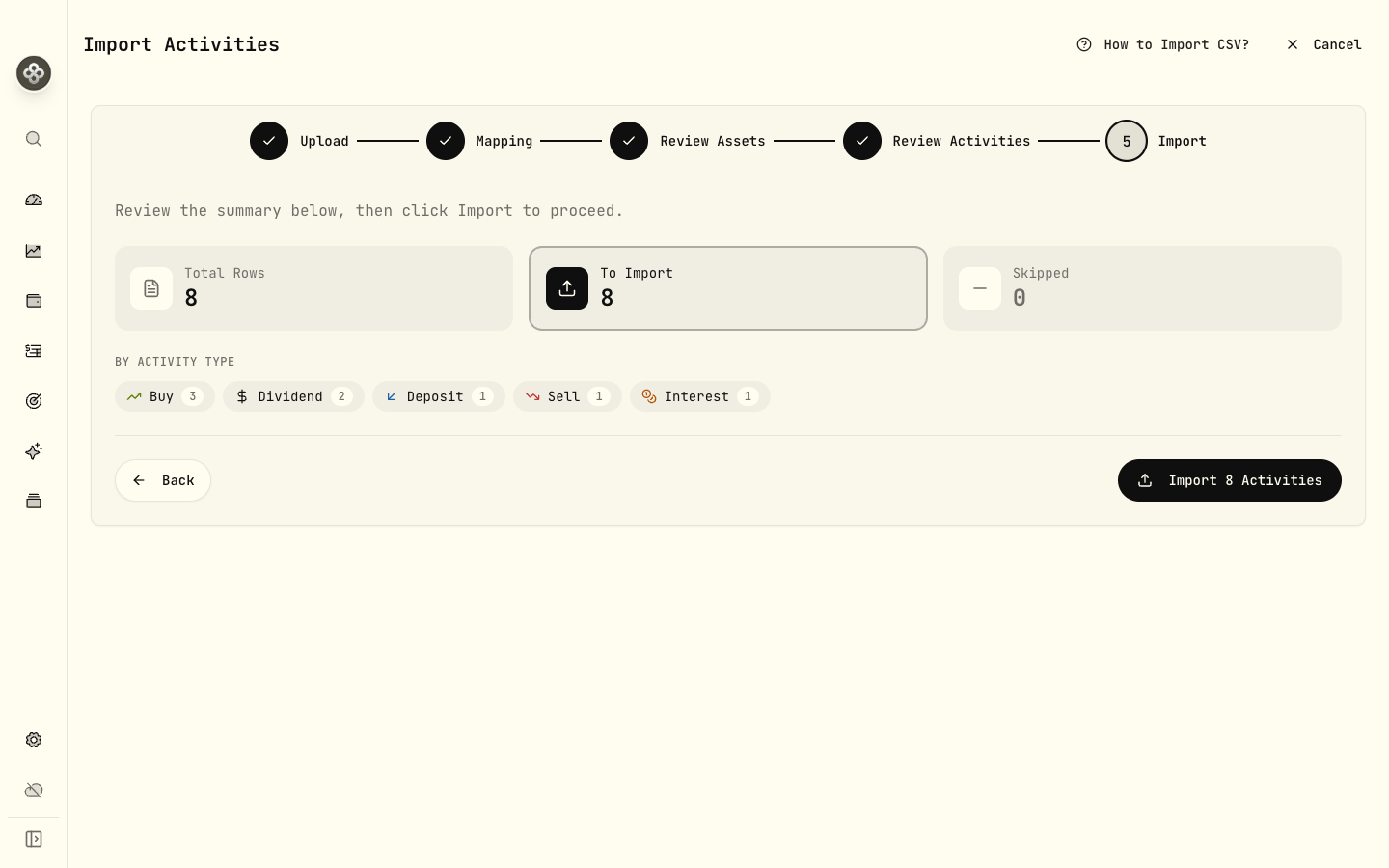
The importer is a five-step wizard:
- Upload. Select the destination account (mappings are saved per account), drop your CSV file (or click to browse), and optionally pick a saved format. Wealthfolio shows a live preview of the parsed rows.
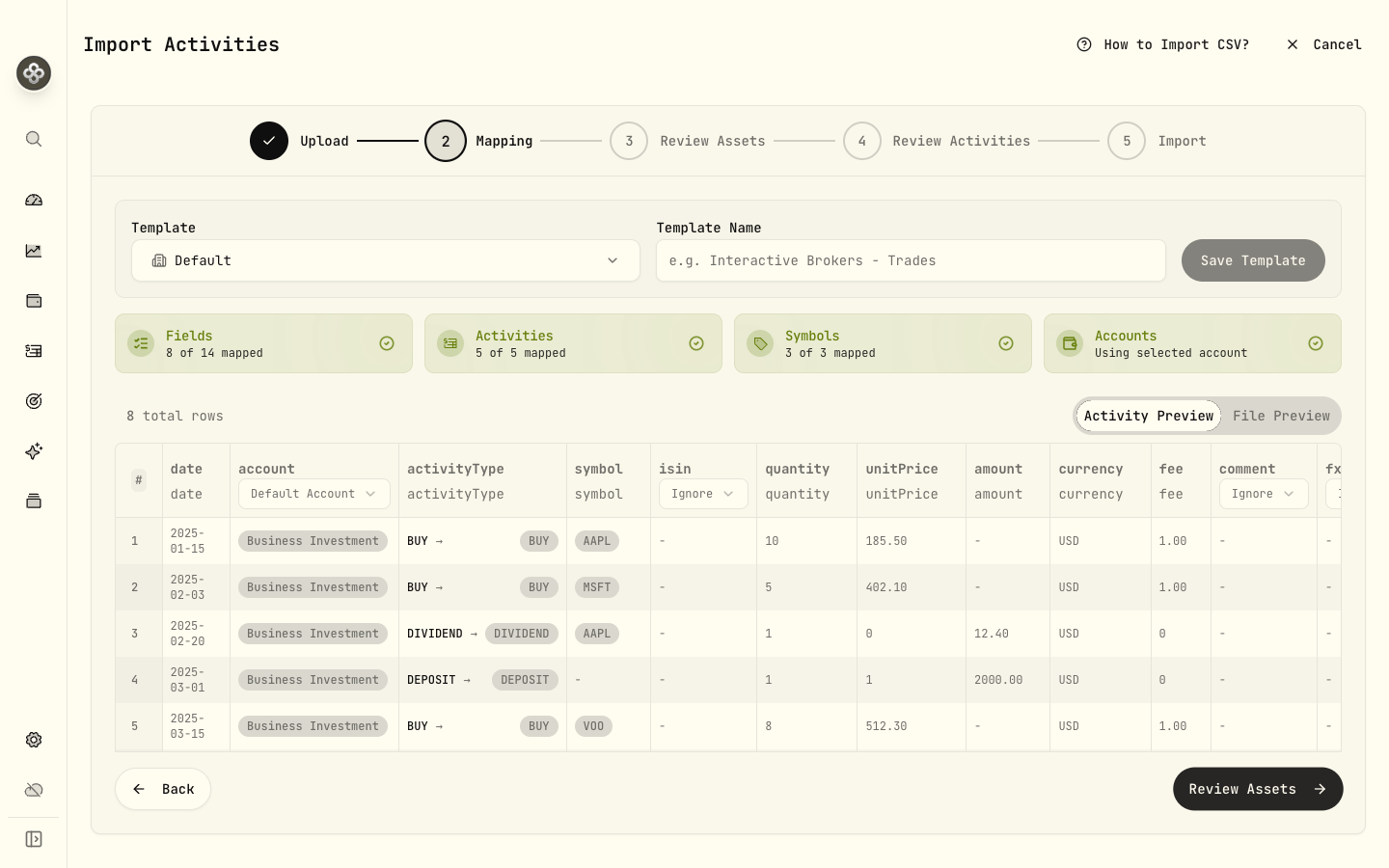
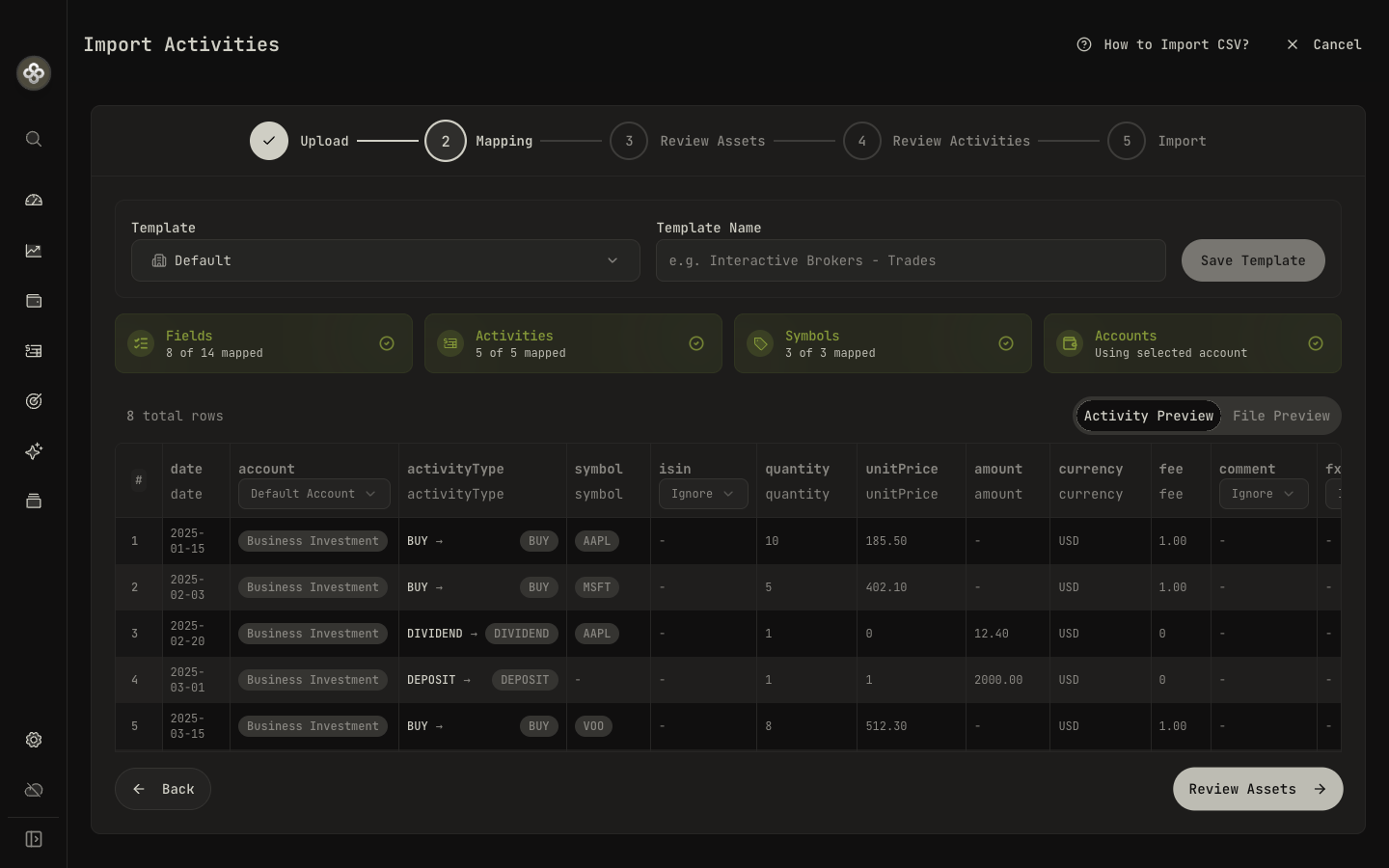
- Mapping. Align each CSV column to a Wealthfolio field, map every broker activity
word to an activity type (e.g. “Buy” →
BUY, “Dividend Reinvestment” →DIVIDENDwith the DRIP subtype), and normalize symbols if needed (e.g.MSFT.NASDAQ→MSFT). The importer auto-guesses what it can — fix anything still flagged. Save the result as a reusable template. - Review Assets. Confirm any new symbols the file introduces, so prices and classifications resolve correctly.
- Review Activities. Preview every row before import, with duplicates flagged.
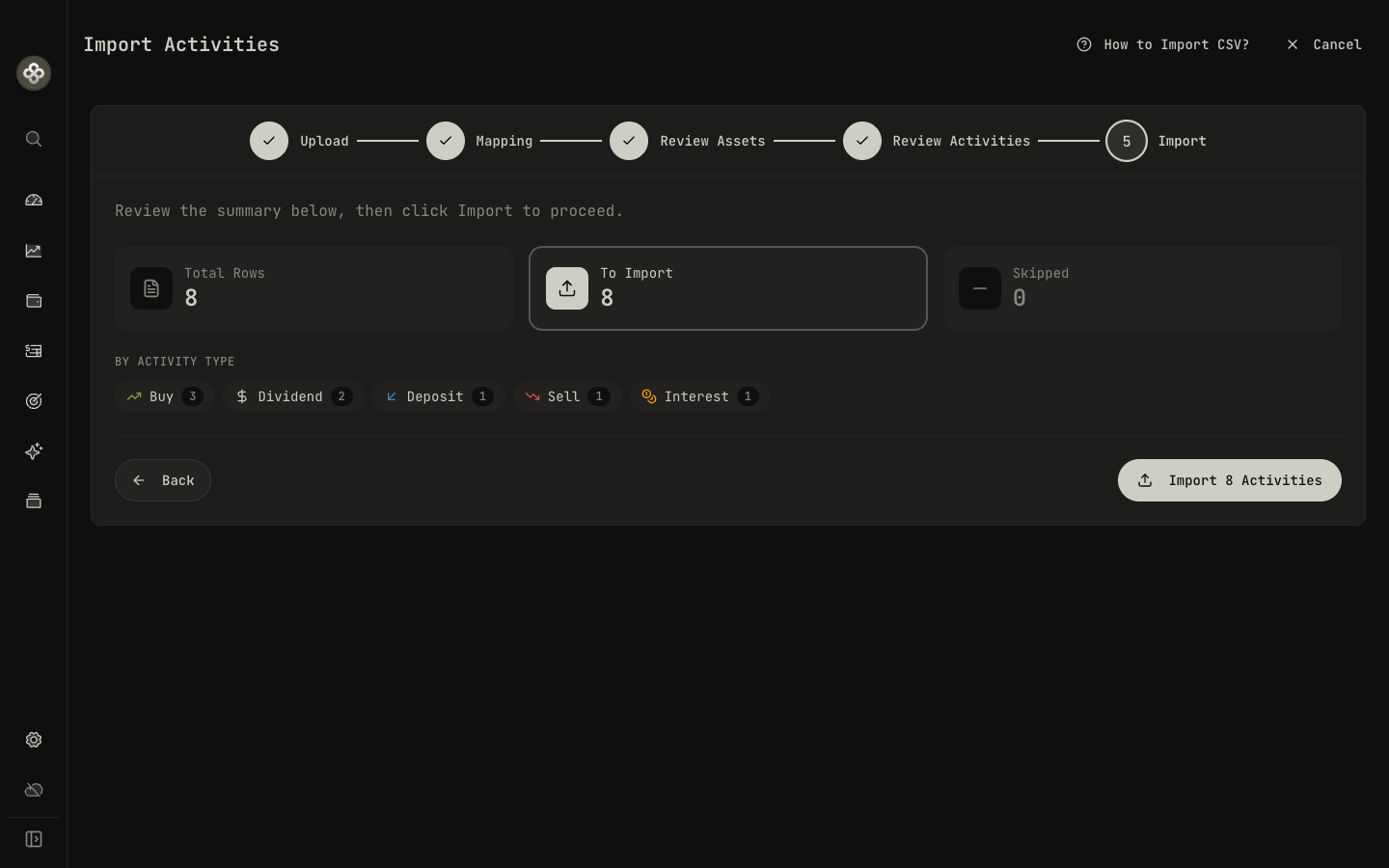
- Import. A summary shows how many rows will be imported versus skipped, broken down by activity type. Confirm to finish — the mapping is saved for next time.
3 · Broker term glossary
Brokers use their own vocabulary. Map these to Wealthfolio activity types in the import step:
| Broker term | Wealthfolio activity type |
|---|---|
| Buy, Purchase, Bought | BUY |
| Sell, Sold, Sale, Disposal | SELL |
| Dividend, Cash Dividend, Ordinary Dividend | DIVIDEND |
| Dividend Reinvestment, DRIP, Reinvested Dividend | DIVIDEND with DRIP subtype |
| Interest, Credit Interest, Cash Interest | INTEREST |
| Staking Reward, Staking Income | INTEREST with Staking Reward subtype |
| Deposit, Funds Received, ACH In, Wire In | DEPOSIT |
| Withdrawal, Funds Sent, ACH Out, Wire Out | WITHDRAWAL |
| Journal, Internal Transfer, ACATS In/Out | TRANSFER_IN / TRANSFER_OUT |
| Sweep In, Sweep Out | Often safe to ignore; these are intra-account. |
| Stock Split, Forward Split, Reverse Split | SPLIT |
| Spin-off, Stock Dividend | DIVIDEND with Dividend in Kind subtype |
| Account Fee, Custody Fee, Advisory Fee | FEE |
| Withholding Tax, Tax Adjustment | TAX |
| Bonus, Sign-up Reward, Referral | CREDIT with Bonus subtype |
| Maker Rebate, Volume Discount | CREDIT with Trading Rebate subtype |
| Fee Refund, Fee Reversal | CREDIT with Fee Refund subtype |
| Option Expiration, Expired Worthless | ADJUSTMENT with Option Expiry subtype |
| Opening Balance, Starting Position | TRANSFER_IN with External flag |
| Position Closed (no proceeds), Write-off | TRANSFER_OUT with External flag |
Full reference: Activity Types.
4 · Importing cash-only / bank accounts
The importer needs a symbol on every row. For pure cash activities, use the special
$CASH-<CCY> symbol:
date,symbol,quantity,activityType,unitPrice,currency,amount
2025-01-15,$CASH-USD,1,DEPOSIT,1,USD,1500.00
2025-01-20,$CASH-USD,1,INTEREST,1,USD,3.42
2025-02-01,$CASH-USD,1,WITHDRAWAL,1,USD,500.00
2025-02-10,$CASH-EUR,1,INTEREST,1,EUR,0.85
One $CASH-<CCY> symbol per currency. This is how bank accounts, savings accounts, and
broker cash sweeps are imported.
5 · Broker recipes
Quick-start mappings for the most-common brokers. If your broker isn’t listed, the mapping step will still walk you through it, and you can open a PR to add a recipe.
Charles Schwab
Export from History → Export → CSV (transactions, not statements).
- The first line is a description (“Transactions for account…”). Delete it; the importer expects the header row to be first.
- Action →
activityType. Map “Buy” →BUY, “Sell” →SELL, “Cash Dividend” →DIVIDEND, “Reinvest Dividend” →DIVIDEND(DRIP), “Reinvest Shares” →BUY(the matching DRIP buy), “Bank Interest” →INTEREST, “MoneyLink Transfer” →DEPOSITorWITHDRAWALdepending on sign. - Symbol →
symbol. Cash rows have no symbol; set them to$CASH-USD. - Quantity →
quantity. Cash rows: set to1. - Price →
unitPrice. Strip the$; Wealthfolio expects raw numbers. - Fees & Comm →
fee. - Amount →
amount. Strip$.
Fidelity
Export from Accounts → History → Download.
- Run Date →
date. - Action →
activityType. “YOU BOUGHT” →BUY, “YOU SOLD” →SELL, “DIVIDEND RECEIVED” →DIVIDEND, “REINVESTMENT” →BUYpaired with the DRIP dividend, “INTEREST EARNED” →INTEREST. - Symbol →
symbol. - Quantity →
quantity(use absolute value; sign is handled by activity type). - Price ($) →
unitPrice. - Commission ($) + Fees ($) → sum into
fee. - Amount ($) →
amount. Strip$and parentheses (Fidelity uses(…)for negatives).
Vanguard
Vanguard exports two tables in one CSV (trade history + position summary). Delete the second table before importing; keep only the trade-history block plus its header.
- Trade Date →
date. - Transaction Type →
activityType. “Buy” →BUY, “Sell” →SELL, “Dividend” →DIVIDEND, “Reinvestment” →BUY(DRIP pair). - Symbol →
symbol. For mutual funds Vanguard uses ticker-like codes (e.g.VTSAX). - Shares →
quantity. - Share Price →
unitPrice. - Principal Amount →
amount.
Interactive Brokers (IBKR)
Use the Flex Query export with the Trades and CashTransactions sections.
- TradeDate / DateTime →
date. - Buy/Sell →
activityType. “BUY” →BUY, “SELL” →SELL. - Symbol →
symbol. IBKR symbols are usually clean; ETFs may include exchange suffixes that work as-is. - Quantity →
quantity. - TradePrice →
unitPrice. - IBCommission →
fee(already negative; strip the sign or wrap inabs()). - Currency →
currency. - For cash transactions (
CashTransactionssection): map Type toDIVIDEND,INTEREST,DEPOSIT,WITHDRAWAL, orTAX.
Robinhood
Robinhood doesn’t expose CSV downloads natively. Use the official tax form export (annual) or a third-party tool. After exporting:
- Activity Date →
date. - Instrument →
symbol(Robinhood uses bare tickers likeAAPL, notAAPL.US). - Trans Code →
activityType.Buy→BUY,Sell→SELL,CDIV→DIVIDEND,INT→INTEREST,ACHdeposit/withdrawal →DEPOSIT/WITHDRAWAL. - Quantity →
quantity. - Price →
unitPrice(strip$). - Amount →
amount(strip$and parentheses).
Trading 212
Export from History → Export → CSV.
- Time →
date. - Action →
activityType. “Market buy” / “Limit buy” →BUY, “Market sell” / “Limit sell” →SELL, “Dividend” →DIVIDEND, “Deposit” →DEPOSIT, “Withdrawal” →WITHDRAWAL, “Card debit” → ignore orWITHDRAWAL, “Interest on cash” →INTEREST. - Ticker →
symbol. Trading 212 uses LSE-style suffixes for non-US tickers. - No. of shares →
quantity. - Price / share →
unitPrice. Note the currency column. - Currency (Price / share) →
currency. - Total (in your account currency) →
amount(for cash rows). - Currency conversion fee → add to
fee.
Wealthsimple
Export from Activity → Download.
- Date →
date. - Transaction →
activityType. “BUY” →BUY, “SELL” →SELL, “DIV” →DIVIDEND, “DEPOSIT” →DEPOSIT, “WITHDRAWAL” →WITHDRAWAL, “DIS” (distribution / interest) →INTEREST. - Description → optional
notes. - Amount →
amount. - Currency →
currency. - Wealthsimple symbols sometimes include
.TOfor Canadian; leave them as-is.
Questrade
Export from Activities → Download CSV with the Detailed option.
- Settlement Date or Transaction Date →
date. - Action →
activityType. “Buy” →BUY, “Sell” →SELL, “DIV” →DIVIDEND, “DIS” →INTEREST, “DEP” →DEPOSIT, “WDR” →WITHDRAWAL, “TFI” / “TFO” →TRANSFER_IN/TRANSFER_OUT. - Symbol →
symbol. Questrade prefixes TSX tickers:RYbecomesRY.TOfor Wealthfolio. - Quantity →
quantity. - Price →
unitPrice. - Commission →
fee. - Net Amount →
amount.
Bank of America (cash / checking)
Bank exports don’t have a symbol column. Add one yourself: a single column with the
constant $CASH-USD on every row (or use the Mapped Value option in the importer to
hard-code a value during mapping).
- Date →
date. - Description → optional
notes. - Amount →
amount. Positive =DEPOSIT, negative =WITHDRAWAL. Map sign to activity type via the Conditional Mapping option, or split the file into two passes (positives →DEPOSIT, negatives →WITHDRAWAL).
Guideline / Gusto 401(k)
Guideline’s CSV has no symbol column, only fund names and dollar amounts. Two paths:
- Map fund names to symbols. Find each fund’s ticker (e.g. “Vanguard Total Stock
Market Index” →
VTSAX) and use the importer’s symbol-mapping step to translate. - Track at the dollar level. Treat the whole 401(k) as a single custom asset (e.g.
MY-401K) and recordBUYactivities at $1 per “share” with quantity = dollars contributed. Update the asset’s price manually with your statement value.
6 · Duplicate detection
Wealthfolio fingerprints each row by date + symbol + quantity + unit price + amount + activity type. Exact matches are flagged as duplicates in the preview and skipped on import. The final Import step shows a To Import vs Skipped count before you confirm.
To re-import with corrections, edit the affected rows in your CSV so the fingerprint changes. Existing rows stay put and the new ones come in.
7 · Troubleshooting
”Missing required field: symbol”
Every row needs a symbol. For pure cash activities use $CASH-USD (or the appropriate
currency). For securities, fill in the ticker.
”$ is not a valid number”
The price/amount column has a currency symbol in it. Strip $, €, £, thousands
commas (1,234.56 → 1234.56), and trailing whitespace before importing. Most
spreadsheet apps can format-then-export the raw numbers.
”Unknown activity type”
The mapping step missed one. Go back and map every unique value in your activityType
column to one of Wealthfolio’s types. If your broker uses a term not in the
glossary, pick the closest semantic match.
”Amount is required for cash activity”
Cash activities (DIVIDEND, DEPOSIT, WITHDRAWAL, INTEREST, TAX, FEE,
transfers) need the amount column. quantity and unitPrice are ignored for these
types.
My DRIP rows have no share count
Some brokers report a DRIP as just the dividend (cash amount) with no matching buy. If
you have the share count from your statement, add it manually as a BUY. If you don’t,
record only the DIVIDEND and add the share adjustment as a TRANSFER_IN with the
External flag checked.
My transfers don’t show on both accounts
The CSV import only writes to the selected account at the top of the import flow. To
record a transfer between two Wealthfolio accounts, import the TRANSFER_OUT row on the
source account, then switch accounts and import the TRANSFER_IN row on the destination.
Same-day timestamps: give the OUT an earlier time than the IN.
Dates are getting parsed wrong
Force ISO format in your CSV (2025-03-15). If you must use DD/MM/YYYY or
MM/DD/YYYY, the importer asks you to pick one in the mapping step. Choose the format
your broker uses, not the format your locale prefers.
Quotes inside text fields breaking the parse
Use a CSV writer (Excel “Save As CSV UTF-8” works) rather than hand-editing. Escape
embedded quotes by doubling them: "She said ""hi""". Or remove them; Wealthfolio
doesn’t need notes to import.
8 · Reusing mappings
Mappings are saved per account, not per file. The second time you import a CSV from the same broker into the same account, the importer pre-fills every choice. You only see the mapping screen if columns change or new activity types appear.
To reset a mapping: import a different file into the same account and pick Reset mapping in the top-right of the mapping step.
Next step: Activity Types walks through every activity type and subtype in detail. Handy when you’re picking which broker term maps to which Wealthfolio category.